fi-inference · September 2026
Own your intelligence, on two old servers and €500 of upgrades
I had a week off between jobs, two old Dell servers and a pair of AI subscriptions. The result is a 180B model at 33 tok/s, with no GPU.
TL;DR
- Two 2016-era Dell R530s now run Qwen3.8-Flash-Next (180B total, 6B active, 4-bit) at 33 tok/s on one stream and 36 tok/s across four.
- I already owned the servers. The upgrades cost under €500 in used parts.
- Coding agents ran nearly 300 experiments in nine days to get there, most of them on a smaller sibling model first. On the target, the first version of my own engine managed 1.45 tok/s; stock llama.cpp, the number to beat, managed 5.3.
- The whole stack, from the weights to my MCP tools, now runs in my basement.
I had about a week off between jobs. The DGX Spark I'd been using belonged to my previous employer, so it went back, and that left me with a problem: I had gotten hooked on having capable agents that run locally, private, always on and silent, and I no longer had the hardware for it.
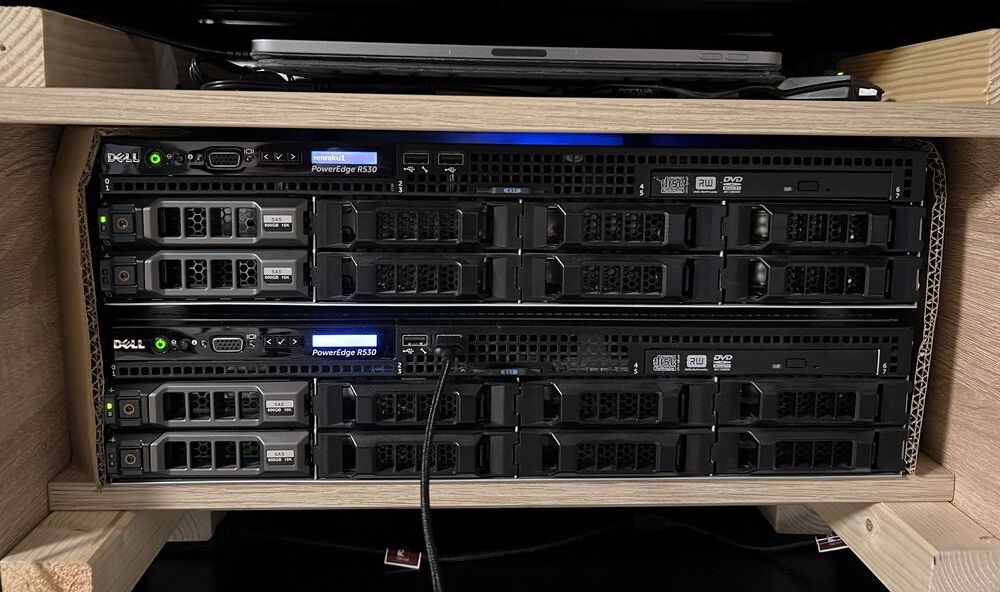
What I did have was two Dell PowerEdge R530s from around 2016, switched off in my basement office. They weren't broken. They were loud.
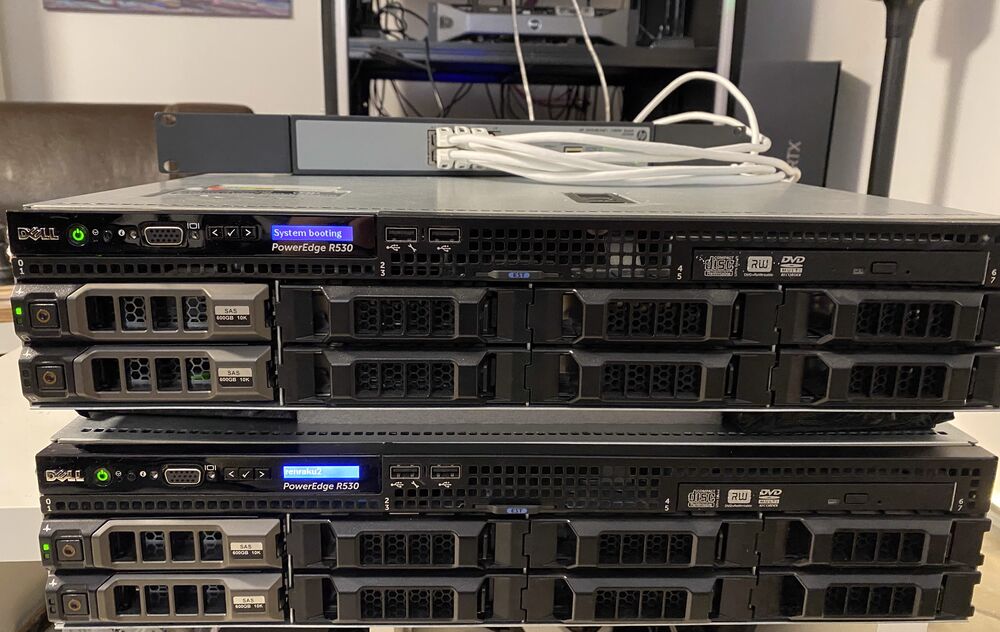
Then I did some arithmetic. The Spark reads memory at 273 GB/s, and for generating text that number more or less is the speed. Each R530 has two CPU sockets, and each socket has four memory channels of its own. With the right CPUs those channels run DDR4-2400: 76.8 GB/s per socket on paper, about 307 GB/s across all four sockets. That's the Spark's bandwidth and then some, just in four places instead of one. And the two boxes together have 288 GB of RAM, against the Spark's 128. Getting one token through four separate memory systems became the whole project.
At that point I was sure: an inference engine written for exactly this hardware and exactly one model could be very fast. The week turned into nine days, and it went better than I expected. I would have been happy with 20 tok/s.
What I builtHardware, model, engine, serving, fans. Skip it if you like; the story doesn't need it.
- Hardware
- Two Dell R530s with four Xeon E5-2695 v4s (72 cores) and 288 GB of DDR4-2400. A Mellanox ConnectX-3 InfiniBand card sits in each box, joined by one direct cable at 56 Gb/s. Ubuntu Server boots from an SSD in each box, and NVMe drives on PCIe adapter cards hold the weights and the prompt cache. Out went the old CPUs, the spinning disks and the SAS controller.
- Model
- Qwen3.8-Flash-Next at 4-bit (Q4_K_M): about 180B parameters in total, about 6B read per token, plus its multi-token-prediction head.
- Engine
- A custom C++ engine, written by coding agents. Experts are pinned to four memory domains (2 sockets × 2 boxes), activations are exchanged over RDMA, and the MTP head drives speculative decoding.
- Serving
- An OpenAI-compatible server for my agents: streaming chat completions with tool calls and separate reasoning output, the model's own chat template, reasoning effort from off to xhigh, and the usual sampling knobs (temperature, top-p, top-k, min-p). Up to four sessions at once, with extra slots waking only when they're needed, so a lone request runs as fast as on a single-stream server. 262k context, and a prompt cache on NVMe so a returning conversation skips its prefill.
- Quiet
- My own fan controller replaces Dell's. It follows the CPU temperatures, ramps gently instead of jumping, and was tuned in a simulator fitted to thermal and microphone measurements: from peaks over 60 dB(A) at my desk to 42 in normal use. In the finished acoustic box: 39 in normal use, 31–32 at idle.
- Display
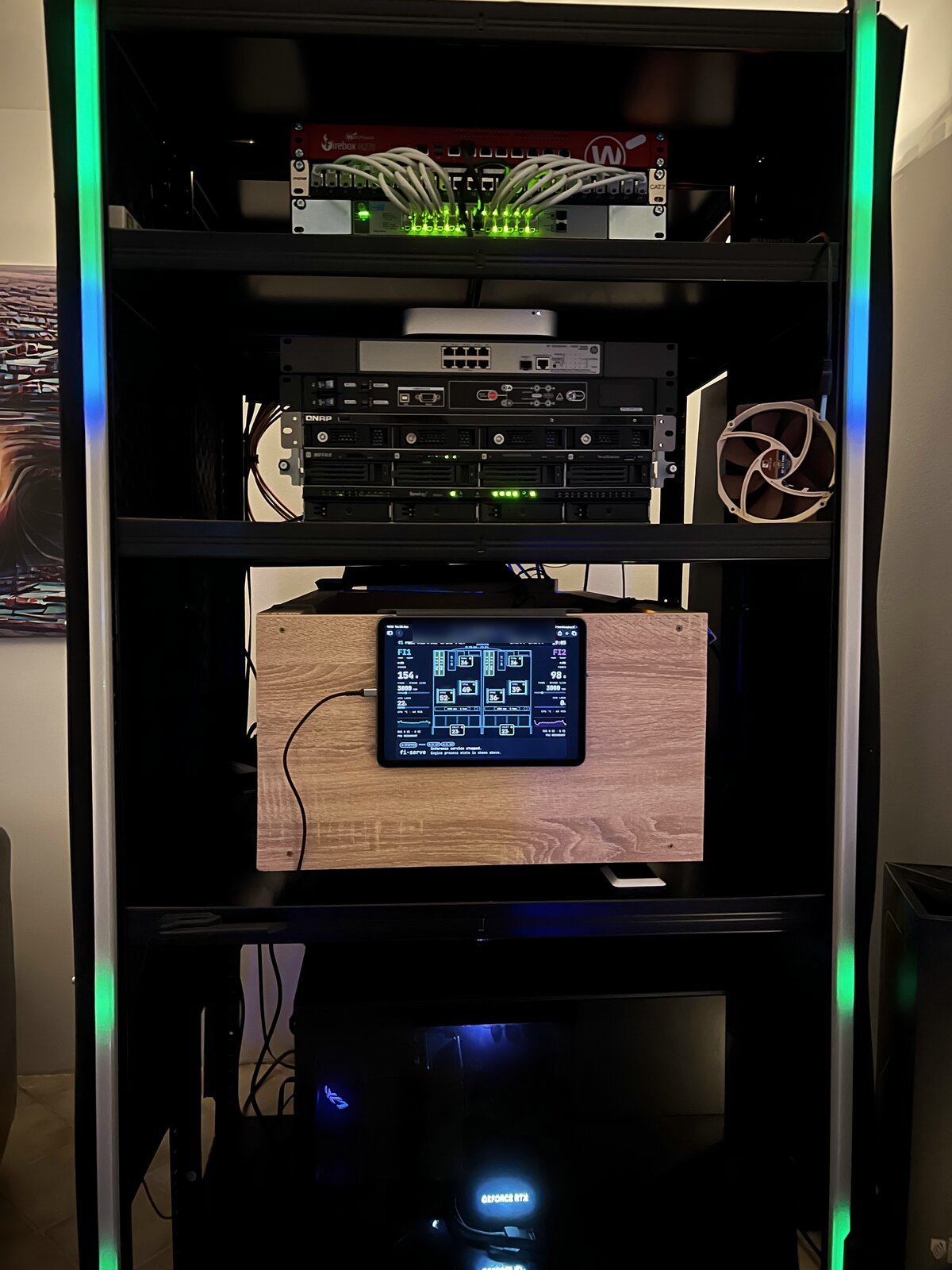
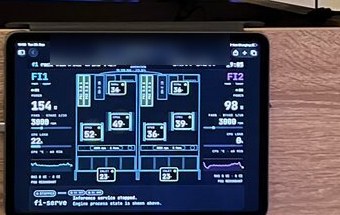
- An iPad on the wall shows both servers live: temperatures, fans, decode and prefill speed, memory bandwidth per socket.
- Agents
- Opus 5.5 and Fable 5.1 (Claude Max 5x); Luna 6, Sol 6 and a little Astra (ChatGPT Plus).
I came out of it believing three things:
- Owning your intelligence is the thing.
- CPU inference on used hardware is a thing.
- Autoresearch works far beyond training scripts.
1Own your intelligence
This is why I do any of it. Sequoia's Own Your Intelligence makes the case for companies. For one person it's the same case with smaller numbers.
For one person, the sensitive data is a knowledge base that grows by more than 1,000 entries a month, my playbooks, my task manager, my own chat and agent front end, and an inventory of the homelab, all exposed as MCP servers. My coding agent, pi, works with them all day. Every prompt to a hosted model carries a slice of that out of the house. Now it doesn't have to: the model runs on weights I hold, on hardware I own. Nobody can swap it, meter it, rate-limit it, or read along.
Hosted frontier agents built the replacement, and they're still better at that kind of work. But the model they built it for doesn't need to be the best, only good enough to act on my behalf, and it is: Qwen3.8-Flash-Next scores 40 on the Artificial Analysis Intelligence Index, above GPT-5.6 Luna at maximum effort (37), OpenAI's cheap tier I would otherwise reach for.
2CPU inference on used hardware is a thing
One formula explains most of it:
decode tok/s ≈ memory bandwidth ÷ bytes read per token
Everyone who runs models locally learns this eventually. It has a fun consequence, though. If you're generating one token at a time for one person, compute barely matters and memory channels do.
Off-the-shelf software doesn't use four memory systems at once, though. llama.cpp ran slower on two boxes than on one. The reason is NUMA:1 in my measurements, a socket reads its own memory more than twice as fast as its neighbour's. Anything that makes a socket fetch weights from the other socket pays that penalty on every token.
So my engine uses owned experts. A mixture-of-experts model has hundreds of small expert networks and uses only a few per token. In my engine each expert lives in exactly one socket's memory and never moves. When a token needs an expert, the token goes to the expert. Weights stay put; only activations travel, a few kilobytes per token.
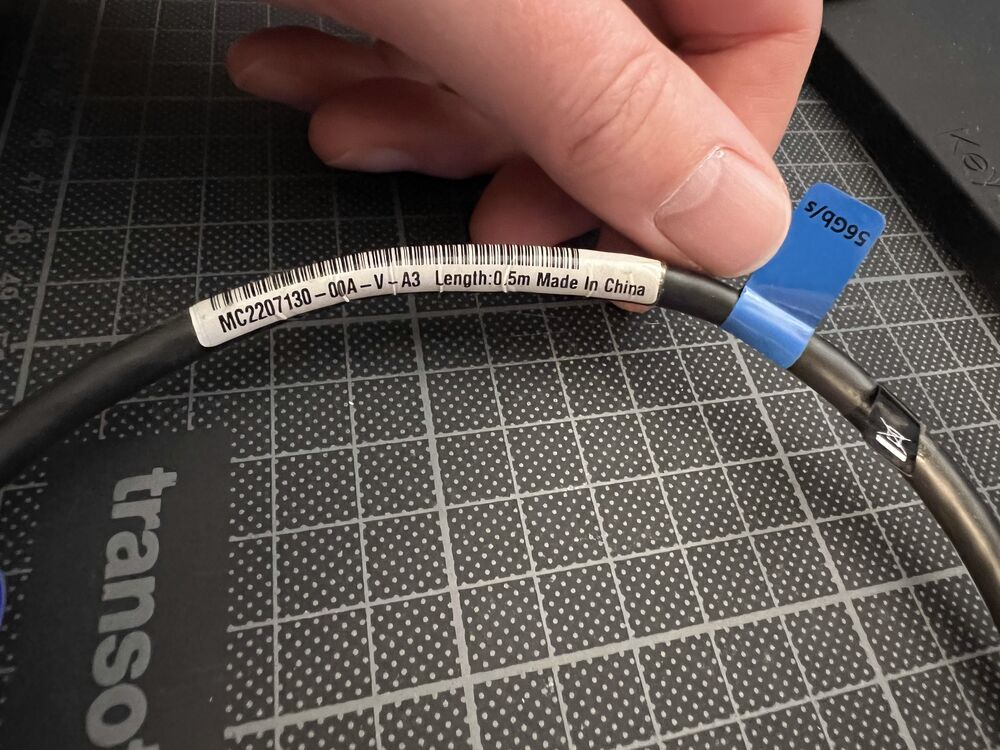
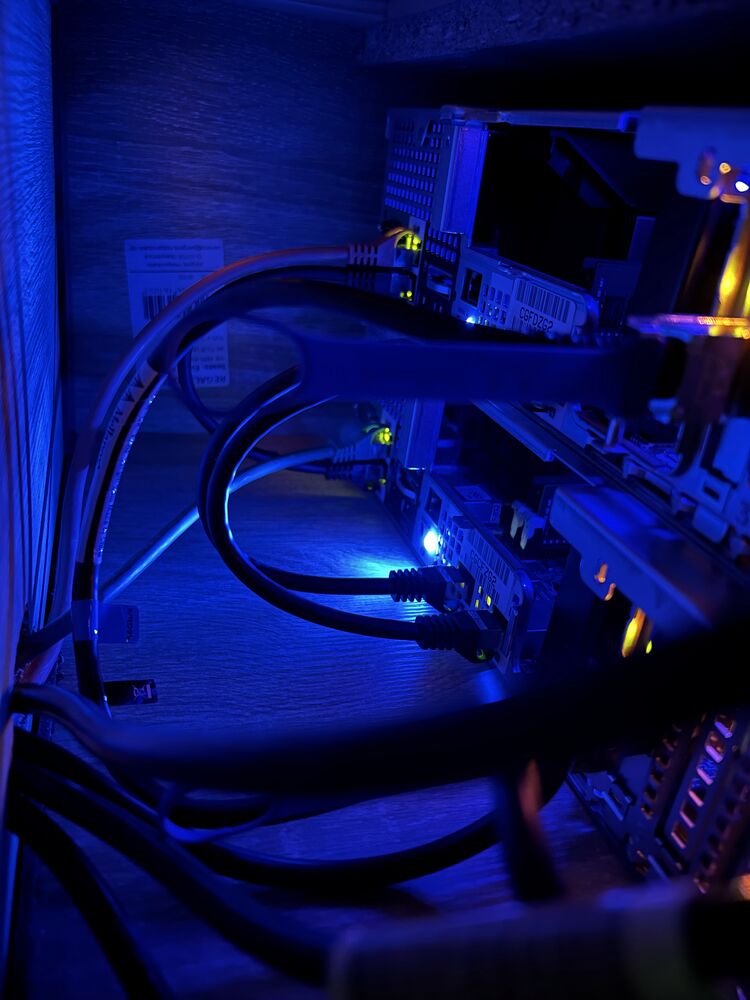
For the link between the boxes, my upgrade research pointed at used Mellanox ConnectX-3 cards: cheap now, and fast. I'll admit I got a little giddy. This was my first InfiniBand, the datacenter interconnect Nvidia bought Mellanox for, because it's what ties large GPU pods together. Two cards and a half-metre cable: 56 Gb/s, direct, no switch. The bandwidth barely mattered, because a few kilobytes per token don't need a big pipe. Latency did. With RDMA, one box writes straight into the other box's memory, with no kernel and no TCP involved, and the other box notices by watching a flag. That takes about 0.9 microseconds. A ping over the same cable through the normal network stack takes about 190.2 I bought a fat pipe and got a short one, which was what I needed.
The shopping list follows from the formula:
- Memory channels come first. Swapping the Xeon E5-2640 v4s for used E5-2695 v4s lets the same DIMMs run at 2400 instead of 2133.
- Interconnect latency comes next. See above; I'm still pleased about it.
- Then the fewest active parameters for the quality you need. This one was less a purchase than a lucky fit. If the only models near the top of the index were dense, or read far more parameters per token, I wouldn't have tried any of this, on the Spark or on the R530s. Flash-Next reads about 6B parameters per token for its 40. DeepSeek V4 Flash, which I ran every day on the Spark at 2-bit, reads 13B for a 34. Qwen3.8 27B, dense on my dual-4090 workstation, reads all 27B for a 34. GLM-5.3-Flash scores higher, 42, but reads 18B, three times as much.
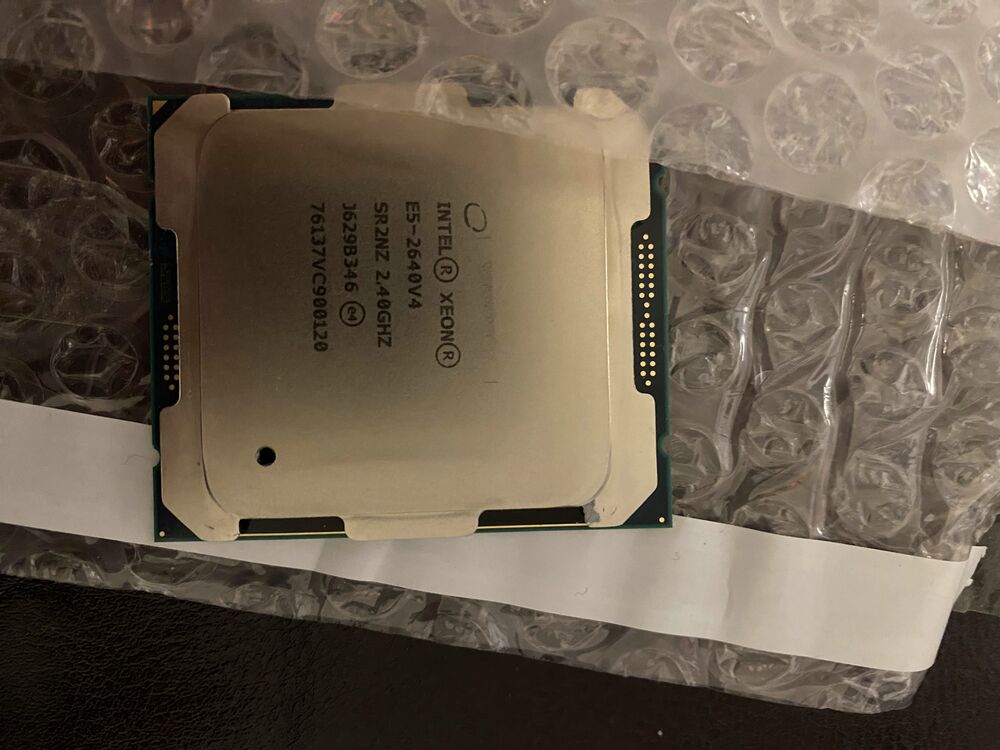
All in, the upgrades came to under €500. Ten-year-old datacenter gear gets dumped by the pallet, and patience pays: two of the three used SSDs I bought had about 30 days of power-on time.
| Decode, one stream, short prompt | 33 tok/s |
| Decode, one stream, 2.6k-token context | 29 tok/s |
| Four streams at once | 36 tok/s combinedeach stream bit-identical to running alone |
| Prefill, 2.6k-token prompt | 58 tok/s |
| Stock llama.cpp, same model | 5.3 tok/s |
| Context | 262k tokensprompt cache on NVMe |
| Power per box: idle / single-stream decode / heavy load | 84 / 170–180 / 266 Wdecode tuned for quiet, not speed |
| Electricity per million generated tokens | ≈ €1.20–1.60at about 40 ct/kWh |
The llama.cpp line compares whole systems. It ran on one box without speculative decoding, while my engine uses both boxes and the model's own multi-token-prediction head. It had 36 threads, one per physical core. On the smaller development model I had swept NUMA modes and thread counts properly: nothing beat about 12 tok/s on one box, and two boxes over RPC dropped to 8.
Four streams barely beat one, and the formula says why: each stream calls on different experts, so four streams read almost four times the weights. It doesn't scale well, but 288 GB leaves room for the concurrency, and that's what subagents and parallel work need.
Prefill is the weak spot, as on any CPU. At 58 tok/s, a coding agent's 19k-token system prompt takes five to six minutes cold. The prompt cache on NVMe is what makes that livable: after a restart, a returning 15.5k-token conversation was back in 24 seconds instead of four to five minutes cold.
The electricity line is rough on purpose: both boxes at about 175 W each, German household prices averaging around 40 ct/kWh over the last three years, and output tokens only. That's more than a datacenter charges for the same model (about $0.47 per million output tokens for hosted Flash-Next), about what Luna costs, and far below frontier prices. The point was never saving money. It was running privately at a reasonable cost, and it does that.
3Autoresearch did the work
Karpathy's autoresearch puts a coding agent in a loop steered by one program.md: change something, measure, keep or discard, repeat. He built it for training runs. I pointed the same pattern at a systems problem.
My program.md sets three rules:
- Pre-register every experiment with a prediction.
- Prove correctness before speed, bit-exact against a reference.
- Keep a change only if it beats the measured noise floor in paired A/B runs.
Autoresearch, generalisedA primer for running the loop on your own problem.
Karpathy's data engine at Tesla was a flywheel: the fleet surfaces failures, they get labelled, the net retrains, the fleet redeploys. It still needed people to label. In autoresearch the labeller is a benchmark, so the flywheel can run unattended all night. What keeps it turning:
- The evaluator is the product. The agent optimises exactly what you measure, bugs and noise included. Make it fast, know its noise floor, and keep it out of the agent's reach. Spend your first day here, before touching the prompt.
- Keep memory in files. An append-only journal, fails included, plus one commit per kept change. Every session is disposable, and dead ends stay dead.
- Never let it finish. A target is a stop condition. Make the goal relative, such as beating the best so far, and the loop keeps spinning while you sleep.
For the mechanics, go to Karpathy: the README and his program.md.
I didn't start on the 180B. The first practical tests, and most of the engine, ran against Qwen3-Next-80B, the smallest model with the same structure; the move to the target came once the engine worked. The agents (Codex first, then Claude Code) wrote the C++ kernels, ran the A/Bs on both servers over ssh, and kept the journal. I set the goals, made the calls, and said no a lot. All of it ran on two consumer subscriptions.
Nine days: nearly 300 experiments, 600+ journal entries, about 1,300 commits, and, on the target model, 1.45 → 33 tok/s, from the engine's first run on it to today. Three changes did most of it:
- Worker teams per socket. 7.7x in a single step, still on the 80B.
- Speculative decoding plus an RDMA mailbox. Two boxes finally beat one: 13 → 20 tok/s.
- The grind. Dozens of 1–5% wins took it from 25 to 33.
A word about targets. I started at 20 tok/s, then it was 25, then 30, then 35. None of these numbers mean anything. I kept moving the target because an agent that reaches its goal does the reasonable thing: it stops, writes a nice summary, and waits for me. When it's on a roll, you don't want that.
The same loop made the servers livable. They sit in the room I work in, and at my desk they peaked at over 60 dB(A). The fan controller brought normal use down to 42. The finished acoustic box took it to 39, and 31–32 at idle. The loop helped with all of it:
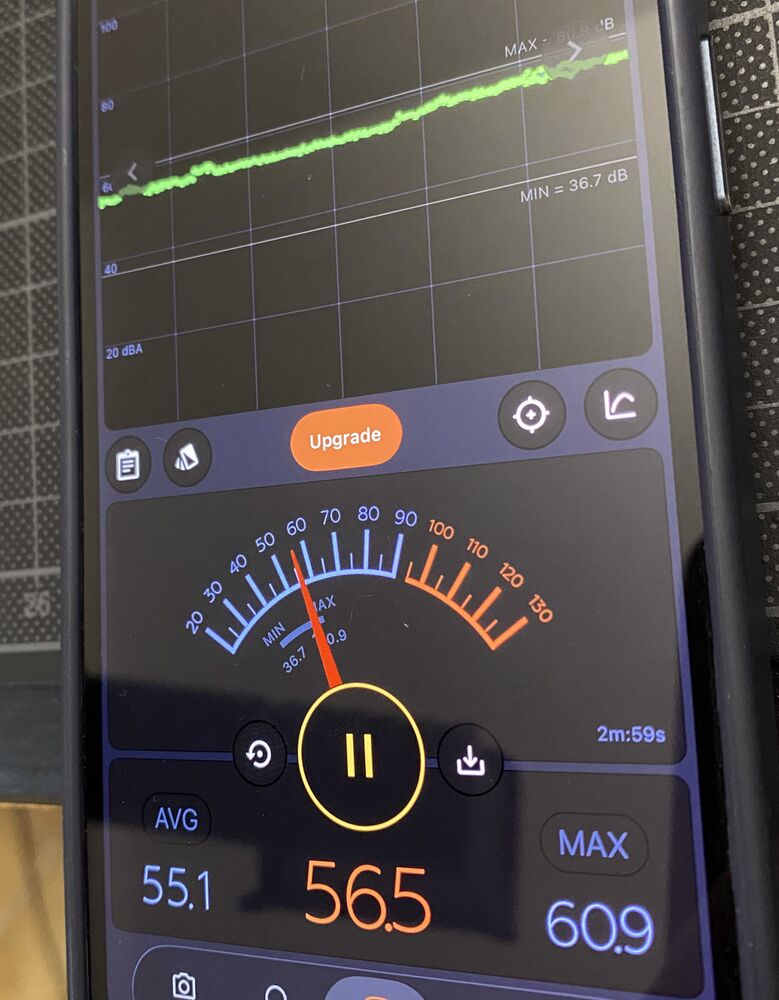
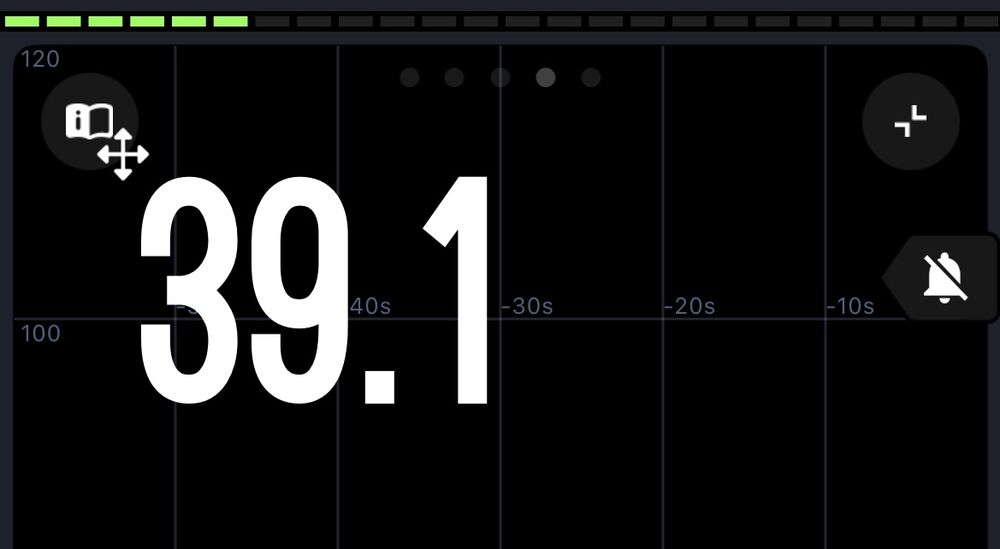
- Fans. iDRAC, Dell's management controller, did not recognise the new InfiniBand and NVMe adapter cards and assumed the worst: 8,000–11,000 rpm at idle. The agents measured it with a calibrated microphone, fitted a simulator to those measurements, and optimized a fan policy in it.
- The acoustic box. We went back and forth on designs until a much simpler one won. I bought the parts, drew the final version in Shapr3D on my iPad, and handed the export back to the agents to check it and plan the build steps. Then I built it.
- Everything around it. A hardware inventory, a porting guide for DeepSeek V4.1 Flash and GLM-5.3-Flash, and a review of this post.
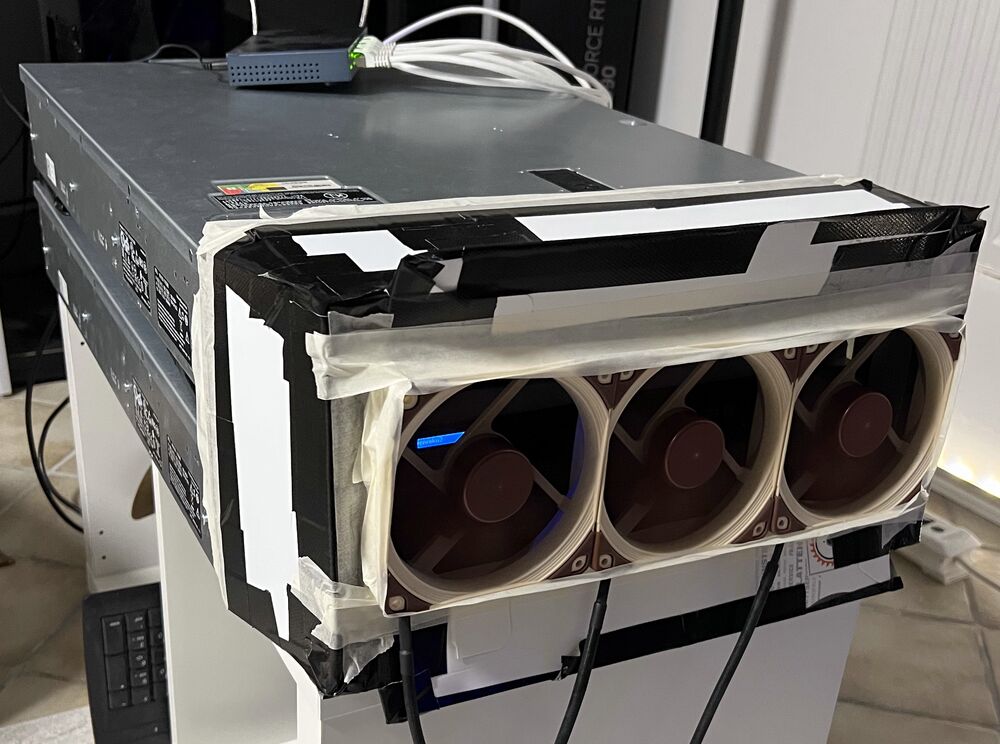
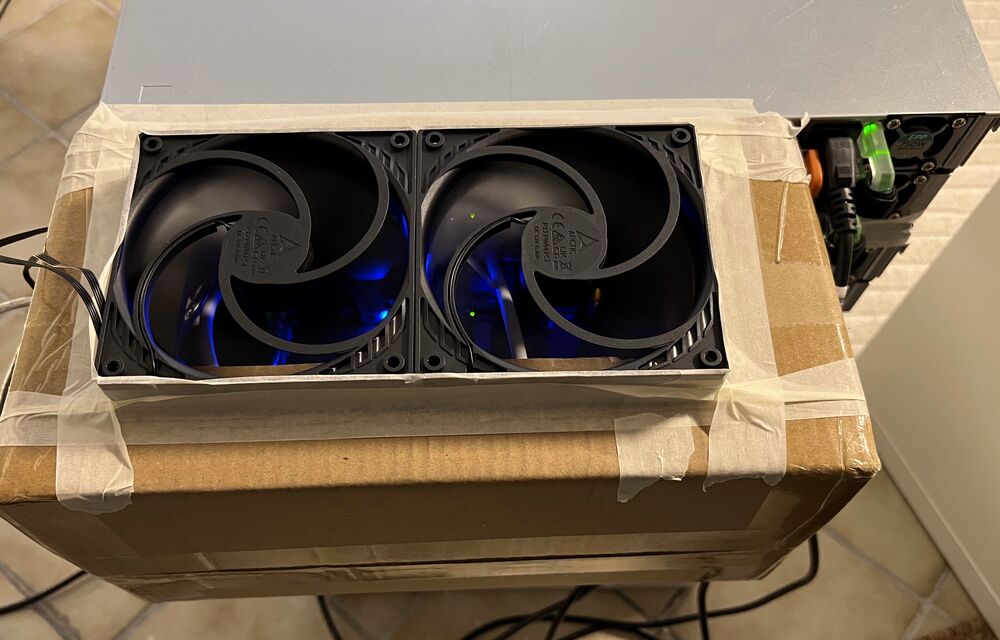
 floor and rails
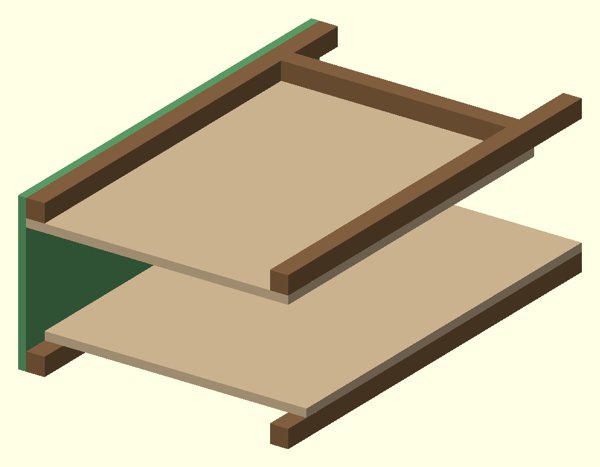 first wall
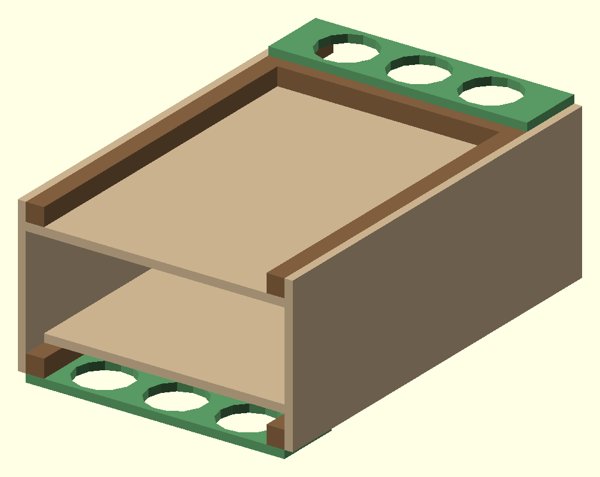 fan plates
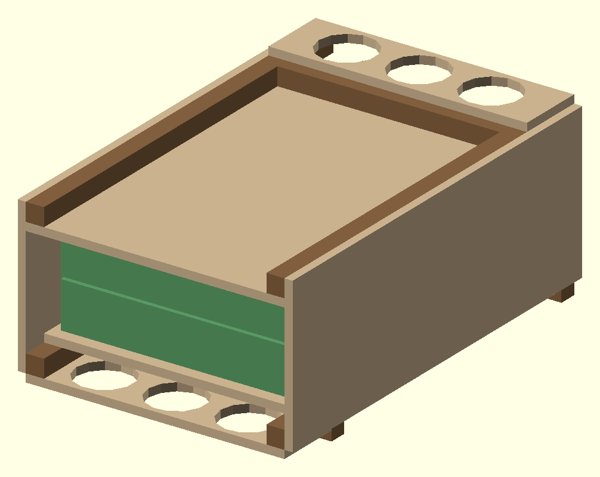 servers in
What almost stopped me
- The first numbers: llama.cpp across two nodes, RDMA included, was not encouraging.
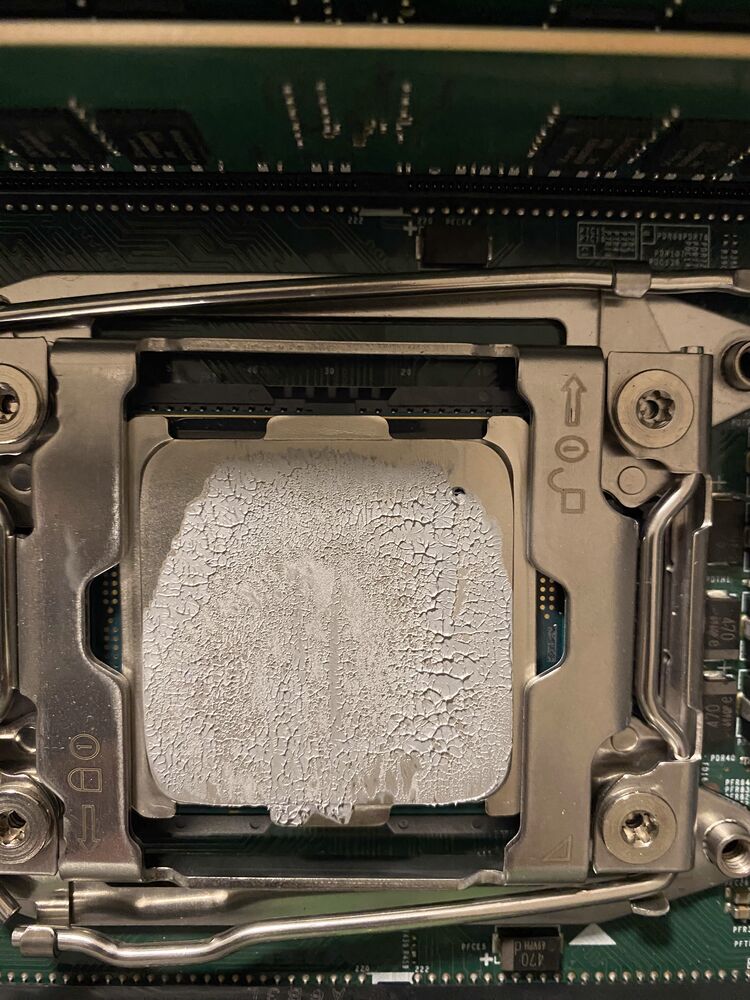
- A server that wouldn't boot after the CPU swap. It reported a DIMM error, and reseating didn't help. The cause was a speck of thermal paste on one CPU socket pin. One swipe fixed it for good.
- The noise: at 60+ dB(A), I seriously doubted this could ever run always-on.
- Wear: one DIMM now logs a corrected error at the same address every day. Running ten-year-old parts warmer to keep them quiet has a cost, and I don't know it yet.
- The GPU temptation: halfway through, I priced out a spare RTX 3060 12 GB with 64 GB of DDR5, and a build around my dual-4090 workstation.
- Woodworking: I'm not much of a woodworker. The box was an adventure, and it's finished.

None of these ended it. Most of them became the next experiment.
Try this
Measure your box's memory bandwidth and divide it by the bytes your model reads per token. You won't reach that number. But it tells you in five minutes whether the hardware you already own is worth a week of your time.
Next for mine: I'm pointing the box at itself. The same loop will build and test a new custom inference engine for a new model, and this time the agents doing the research run on the box. No APIs.
Own your intelligence. Then let it build the next one.